dd, dcfldd, dc3dd Data Acquisition Tools for Linux
Using dd,dcfldd,d3cdd command line tools for Computer foresnic data acquisition
We will learn to create forensic image of a storage drive(In my case pendrive) using commandline tools
Click here to watch this lab on youtube
Prerequisite
- You should have any 64bit Linux OS
- Active internet connection
- One pendrive connected to Linux OS. I used 8GB pendrive
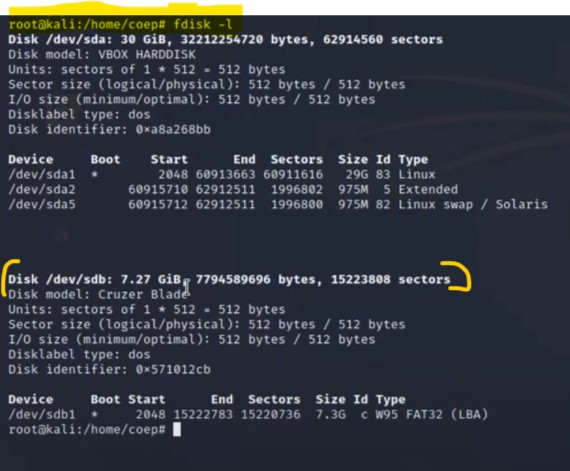
- You can check whether your pendrive is connected or not using fdisk command
fdisk output in my case is as follow
A) dd command
- dd command in digital forensic help investigator to take create image file of suspect’s storage drive.
- dd command can be used to clone not only internal partitions but also external storage drives attached to machine.
Example command
dd if=/dev/sdb bs=4096 of=/home/coep/Desktop/firstimage.dd conv=noerror,sync status=progress
Command execution in kali linux

Command will clone my pendrive(/dev/sdb) and store image of it on desktop as follow.
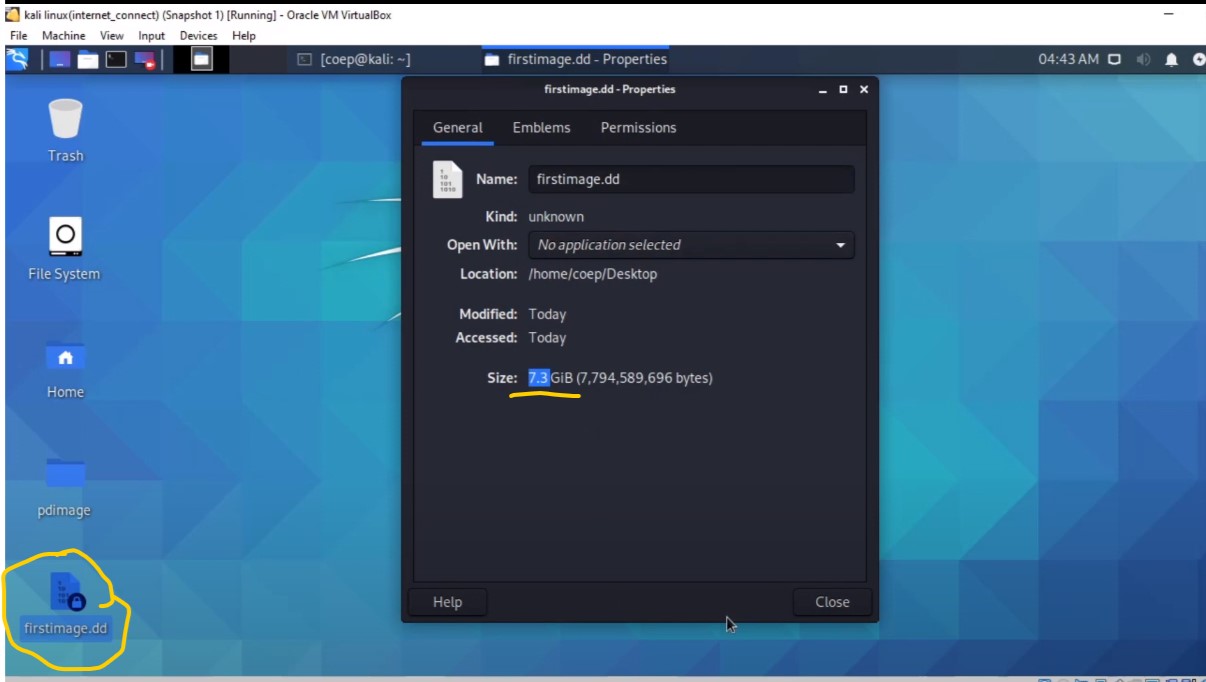
Thus we cloned and created image file of pendrive succesfully using dd command.
B) dcfldd command
It is enhanced verion of dd command
Useful feature for forensic investigator :
- On-the-fly hashing of the transmitted data.
- Progress bar of how much data has already been
sent. - Wiping of disks with known patterns. Verification that the image is identical to the original drive, bit-for-bit.
- Simultaneous output to more than one file/disk is possible.
- The output can be split into multiple files. Logs and data can be piped into external applications.
For installing in kali linux
sudo apt-get install dcfldd
Example Command
dcfldd if=/dev/sdb hash=md5,sha256 hashwindow=2G md5log=md5.txt sha256log=sha256.txt hashconv=after bs=4k conv=noerror,sync split=2G splitformat=aa of=sdb_image.dd
Command execution in kali linux

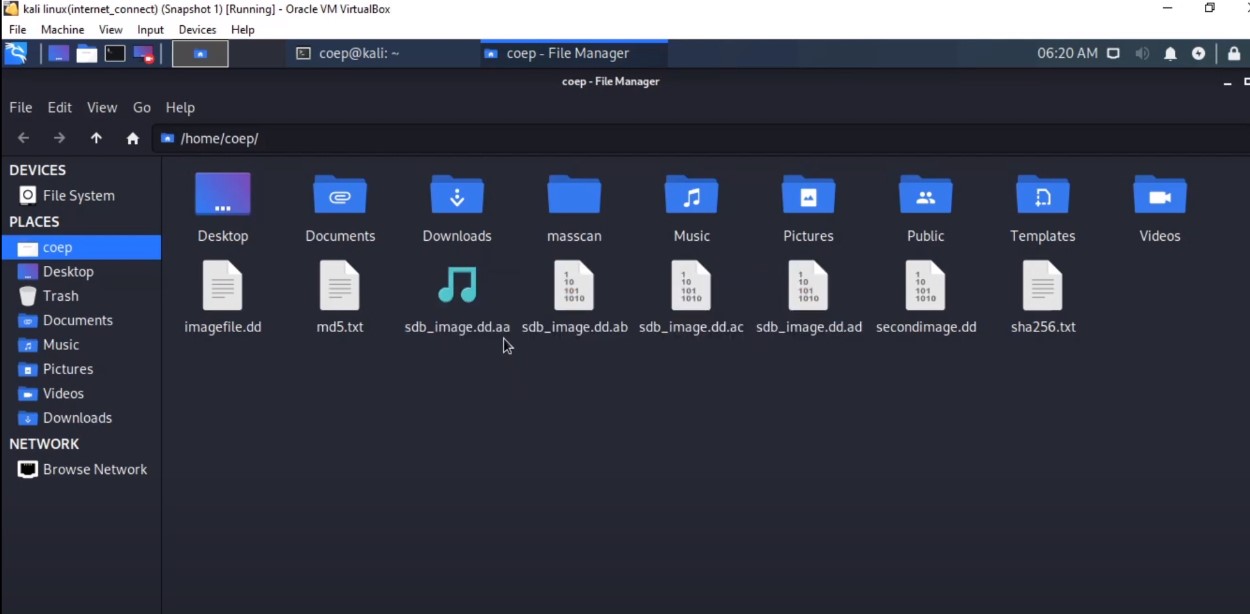
Above command will create four output files named
sdb_image.dd.aa, sdb_image.dd.ab, sdb_image.dd.ac, sdb_image.dd.ad
and will also create two files called md5.txt and sha256.txt containing hash values of output files.
Note: dcfldd is based on older version of dd. Research found that it is unstable hence it’s use should be strictly avoided during real forensic investigation.
C) dc3dd command
dc3dd is based on patched version of dd command.It is worth noting that dcfldd is fork of GNU dd command whereas dc3dd is a patch to current version of dd.
Few notable Features
- Support direct input/output mode
- On the fly hashing with multiple algorithms(MD5,SHA-1,SHA-256 and SHA-512)
- Combined error logs. Group error together.
- Pattern wiping. Wipe output files with a single hex digit or a text pattern
- Verify mode
- Progress report
- Able to split output files in fixed sized chunk
For installing in kali linux
sudo apt-get install dc3dd
Example Command
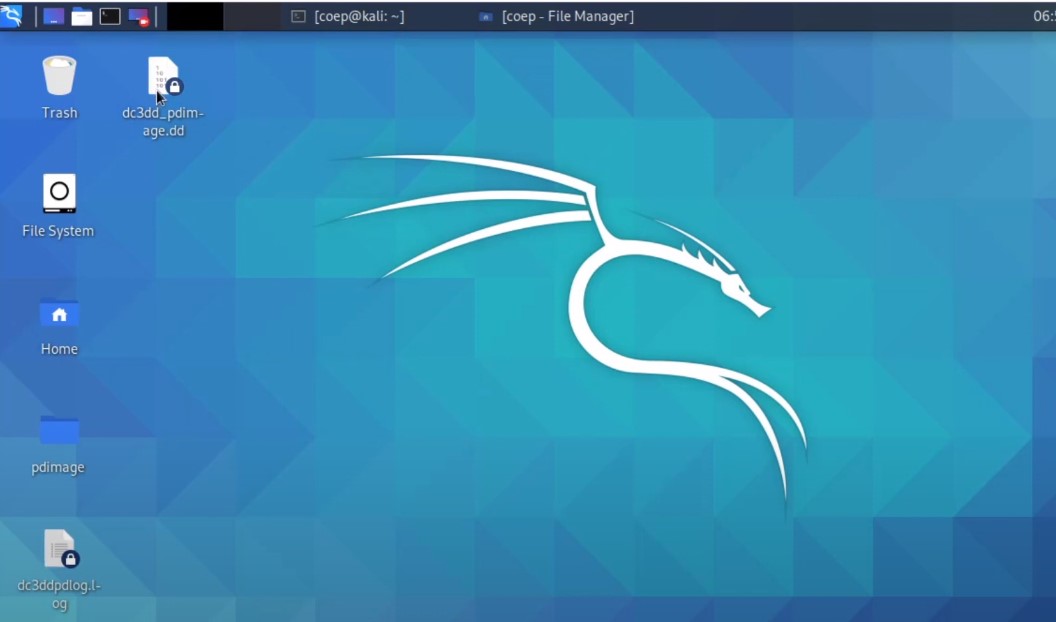
dc3dd if=/dev/sdb of=/home/coep/Desktop/dc3dd_pdimage.dd hash=md5 log=/home/coep/Desktop/dc3ddpdlog.log
Command execution in kali linux
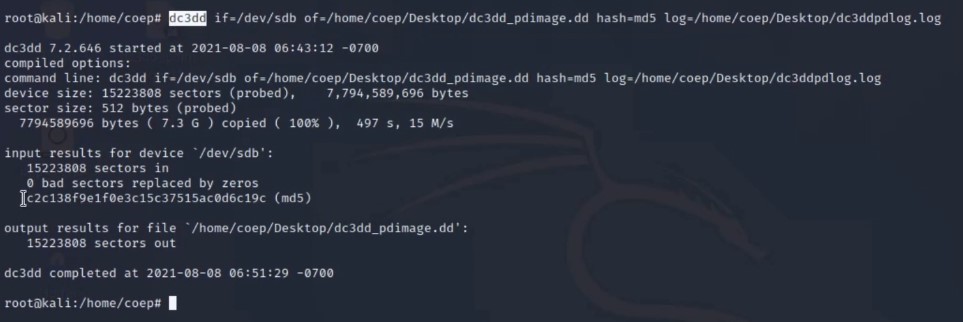
This will create output on desktop in two files one will be image file dc3dd_pdimage.dd and another file will be dc3ddpdlog.log
Thus we learned three command line tools for data acquision.
In video I have also calculated on the fly hash of images. Do check it !!
Thanks!!!!!!!!!!!!!!!!!!!!!!!!!!!! :)